How to Build a Home Theater Without Getting Fooled by the Spec Sheet
A home theater is five decisions: the display (a projector for scale, or a big TV for a bright multi-use room), the screen (size it from your seat, and never pair an ultra-short-throw projector with a plain screen), the audio (a soundbar for simplicity or an AV receiver for real surround), light control (the cheapest upgrade there is), and the gear that ties it together. For a first projector in a dark room, start with the Epson Home Cinema 1100: bright, rainbow-free 3LCD 1080p. Every pick below was re-checked against its live Amazon listing on October 24, 2026.
See the Epson Home Cinema 1100 on AmazonNot deciding today? Add it to your cart over there — Amazon keeps it saved (and flags any price change) until you're ready.
Choosing between a projector and a big screen first? See TV vs projector: the honest comparison, which builds on our OLED vs QLED and gaming TV guides.
Quick Picks: One for Each Decision
| If you need | Our pick | Why | Ballpark (Oct 2026) | |
|---|---|---|---|---|
| First projector for a dark room | Epson Home Cinema 1100 | Bright, rainbow-free 3LCD 1080p, sold by Amazon | Around $875 | On Amazon → |
| Cheapest good 1080p, low input lag | Optoma HD146X | The long-running budget default, with a fast game mode | Around $600 | On Amazon → |
| 4K projector for gaming | Optoma UHD38x | 4.2ms at 1080p/240Hz and brighter than most gaming rivals | Around $1,000 | On Amazon → |
| Smart all-in-one laser | XGIMI Horizon 20 | Google TV, Harman Kardon speakers, real zoom and lens shift | Around $1,400 | On Amazon → |
| Bright living room (laser TV) | Samsung The Premiere 9 (LPU9D) | Triple-laser UST that sits at the wall; add a CLR screen | See Amazon | On Amazon → |
| Native 4K for a dedicated theater | Sony VPL-XW5000ES | True native 4K SXRD panel with low input lag | Around $6,000 | On Amazon → |
| First AV receiver | Denon AVR-S770H | 7.2 channels with Dolby Atmos and 8K/4K120 HDMI | Around $700 | On Amazon → |
| Speakers in one box | Polk Audio T-Series 5.1 System | Towers, center, surrounds and a 10-inch sub | See Amazon | On Amazon → |
| No receiver, one box | Sonos Arc Ultra | 9.1.4 Atmos soundbar; add a Sub 4 later | Around $1,100 | On Amazon → |
Projectors by Use Case
There is no single "best projector" — there is the right projector for your room and how you will use it. A competitive gamer, a dark-room movie purist, and someone wanting a laser TV on a bright living-room wall need three completely different machines. Pick your category first.
Home Theater
Standard long-throw projectors for a dedicated or dim room - from 1080p value picks to native-4K laser flagships.
-
 Epson Home Cinema 1100 value
Native 1080p, 3-chip 3LCD (no DLP rainbow), 3,400 lumens color and white brightness (ISO-rated white), lamp, two HDMI, AirPlay and Miracast, built-in speaker
Bright, rainbow-free 1080p from a 3-chip engine - Epson rates color brightness equal to white brightness, which single-chip DLP projectors cannot claim
Watch out: 1080p only, no 4K or HDR; no built-in smart platform (use an Apple TV, Fire TV or Roku in the powered USB port); lamp, not laser
Around $875 · ballpark, Oct 2026
Check price on Amazon → -
 BenQ HT3560 value
4K UHD (3840x2160 on screen via DLP pixel-shift), 2,200 lumens, HDR10/HDR10+/HLG, auto vertical keystone, HDMI 2.0b with eARC, 10W speakers
The current successor to the long-running HT3550: BenQ's factory-calibrated "CinematicColor" 4K at the lowest price in its theater line
Watch out: No built-in smart platform; 2,200 lumens wants a dark room; on Amazon it is sold by third-party sellers, so check the seller and warranty before buying
Around $2,000 · ballpark, Oct 2026
Check price on Amazon → -
 Optoma HD146X budget
Native 1080p, ~3,600 lumens, lamp, DLP, ~16ms input lag in Enhanced Gaming Mode
The perennial default "first projector" recommendation for price-to-performance
Watch out: DLP rainbow effect visible to sensitive viewers; plasticky build; no smart streaming
Around $600 · ballpark, Oct 2026
Check price on Amazon → -
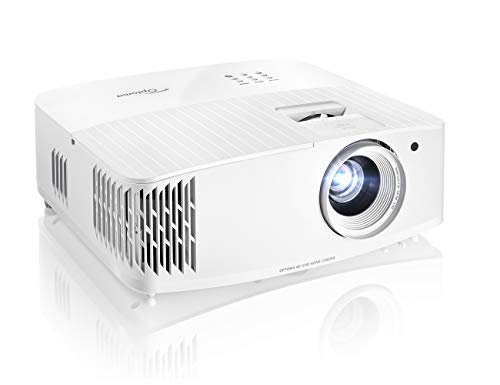 Optoma UHD35 value
Pixel-shift 4K UHD (DLP XPR), ~3,600 lumens, lamp, HDR10/HLG, low input lag
A step up into 4K resolution while keeping Optoma's gaming-friendly low input lag
Watch out: Color calibration less refined than BenQ's equivalent; no smart platform; fan noise
Around $1,200 · ballpark, Oct 2026
Check price on Amazon → -
 Epson Home Cinema 2350 value
~2,800 ANSI lumens (3LCD), pixel-shift 4K support on a 1080p panel, built-in Android TV, HDR10
Built-in Android TV streaming plus 3LCD brightness usable outside a fully dark room
Watch out: Not true native 4K despite the "4K" marketing; weaker black levels than DLP rivals
Around $1,250 · ballpark, Oct 2026
Check price on Amazon → -
 XGIMI Horizon 20 premium
4K, RGB triple laser, 3,200 ISO lumens, optical zoom and lens shift, Dolby Vision/HDR10+/IMAX Enhanced, Google TV with licensed Netflix, 240Hz with VRR/ALLM, Harman Kardon speakers
A smart all-in-one that finally has real optical zoom and lens shift, so you can place it off-center without digital keystone softening the picture
Watch out: ISO lumens, not ANSI; triple-laser projectors can show speckle to some viewers; still needs a dim room for deep blacks
Around $1,400 · ballpark, Oct 2026
Check price on Amazon → -
 Epson Home Cinema LS11000 premium
4K PRO-UHD (3LCD pixel-shift), laser, 2,500 lumens color and white, HDR10/HDR10+/HLG, motorized lens shift (+/-96% vertical, +/-47% horizontal) with powered zoom and focus, 10 lens memories
Huge motorized lens shift and lens memories, so it fits rooms other projectors cannot and switches between 16:9 and 21:9 scope screens at the touch of a button
Watch out: Pixel-shift, not native 4K; black levels behind native-4K JVC D-ILA; on Amazon it is sold through dealers and often scarce
Around $4,300 · ballpark, Oct 2026
Check price on Amazon → -
 BenQ W4100i premium
4K UHD (DLP), LED light source (10+ year life), 3,200 lumens, 100% DCI-P3, factory calibrated, HDR10+, 1.3x zoom with 2D lens shift, Android TV with Netflix
Factory-calibrated wide color with real lens shift and a long-life LED engine - no lamp to replace
Watch out: DLP rainbow possible for sensitive viewers; pixel-shift DLP 4K, not native; a big step up in price from the HT3560
Around $2,500 · ballpark, Oct 2026
Check price on Amazon → -
 JVC DLA-NZ500 flagship
TRUE native 4K (D-ILA/LCoS), ~2,000 lumens, laser, native contrast ~40,000:1, HDR10/HDR10+
The deepest black floor and true pixel-for-pixel 4K sharpness in its class
Watch out: Lower brightness than laser DLP/LCD rivals (less ambient-light tolerant); large chassis
Around $6,900 · ballpark, Oct 2026
Check price on Amazon → -
 Sony VPL-XW5000ES flagship
TRUE native 4K (SXRD), laser, HDR10/HDR10+, input lag as low as ~21ms at 4K/60
The lowest input lag among true native-4K flagships - genuinely usable for serious gaming
Watch out: Native contrast trails JVC D-ILA; a serious investment
Around $6,000 · ballpark, Oct 2026
Check price on Amazon →
Gaming
Low-input-lag projectors for console and PC. Remember: the advertised lag applies only in Game mode, and usually at 1080p, not 4K.
-
 BenQ X3100i premium
Input lag ~4ms (1080p/240Hz), ~9ms (1440p/120Hz), ~16ms (4K/60Hz); 4LED, 4K DLP, ~3,300 ANSI, 100% DCI-P3
A full ladder of low-lag modes at every resolution and refresh - the flagship gaming pick
Watch out: Brightness still modest vs a TV for daytime play; DLP rainbow possible on fast motion
Around $1,800 · ballpark, Oct 2026
Check price on Amazon → -
 BenQ X500i value
Input lag ~4ms (1080p/240Hz), 8ms (1440p/120Hz), 16ms (4K/60Hz); 4LED, 4K DLP, ~2,200 ANSI
The X3100i's lag ladder at a lower brightness and price tier
Watch out: Lower lumens limit lit-room use; a step down in color coverage from the X3100i
Around $1,500 · ballpark, Oct 2026
Check price on Amazon → -
 Optoma UHD38x value
Input lag ~4.2ms at 1080p/240Hz, ~16ms at 4K/60Hz; true 4K UHD DLP, 4,000 ANSI, dual HDMI 2.0
Brighter than most gaming rivals - one of the few genuinely usable in a semi-lit room
Watch out: HDMI 2.0 only (bandwidth-limited vs 2.1); fan noise; DLP rainbow possible
Around $1,000 · ballpark, Oct 2026
Check price on Amazon → -
 ViewSonic X2-4K value
Native 4K LED, "Designed for Xbox" (auto 1440p/120Hz), fast low-lag modes, 125% Rec.709, 60,000 hr LED
Officially Xbox-certified - auto-detects the console and switches to the right resolution/refresh
Watch out: Quoted 4K/60 lag varies a lot by picture mode across sources - check the mode before trusting a number
Around $1,900 · ballpark, Oct 2026
Check price on Amazon → -
 BenQ TH671ST budget
Short throw (100-inch image from about 5 ft), native 1080p, 3,000 lumens, 92% Rec.709, low input lag, dual HDMI, lamp
A 100-inch image from about five feet away, so it works in small rooms where a standard-throw projector would sit behind the couch
Watch out: 1080p only and lamp-based; low lag needs Game mode switched on; an older model, though still sold by BenQ's own store
Around $850 · ballpark, Oct 2026
Check price on Amazon → -
 ViewSonic LX700-4K value
4K UHD, laser, 3,500 lumens in the title and 4,000 ANSI in the listing bullets, 240Hz with 4.2ms input lag, 1440p/120Hz, 1.3x optical zoom, Designed for Xbox
Laser brightness plus a 4.2ms, 240Hz game mode - and sold by Amazon itself
Watch out: The listing quotes two brightness figures (3,500 and 4,000) - plan around the lower one; the 4.2ms figure is at 1080p/240Hz, not 4K
Around $1,250 · ballpark, Oct 2026
Check price on Amazon →
Ultra-Short-Throw (Laser TV)
Sit inches from the wall as a TV replacement - but a CLR/UST screen is effectively required, and usually sold separately.
-
 Hisense L9Q flagship
5,000 ANSI lumens, triple laser (110% BT.2020), 4K UHD, 5,000:1 contrast, 0.18 throw ratio, 80-200 inch image, Dolby Vision and Atmos, IMAX Enhanced, Google TV
The brightest UST here, and its 0.18 throw ratio puts a big image up from closer to the wall than older laser TVs
Watch out: Screen not included on this listing; sold by third-party sellers and often scarce; DLP rainbow possible; blacks still behind OLED
Around $4,000 · ballpark, Oct 2026
Check price on Amazon → -
 Hisense PX3-PRO flagship
~3,000 lumens, tri-laser RGB (full Rec.2020), pixel-shift 4K, Dolby Vision/HDR10+, ~0.25 throw, Xbox-certified low lag, screen SEPARATE
The best gaming UST - the first with an official Xbox designation and genuinely low input lag
Watch out: No screen included - budget separately for a CLR/UST screen or contrast suffers badly on a bare wall
Around $2,500 · ballpark, Oct 2026
Check price on Amazon → -
 XGIMI Aura 2 premium
2,300 ISO lumens, hybrid laser + RGB LED (not full tri-laser), pixel-shift 4K, Dolby Vision, IMAX Enhanced, 0.177 throw, screen SEPARATE, Google TV with licensed Netflix
The easiest software and setup experience in the category, and the hybrid light source reduces laser speckle
Watch out: Washes out with real ambient light; not true tri-laser; screen is a separate cost
Around $1,550 · ballpark, Oct 2026
Check price on Amazon → - Samsung The Premiere 9 (LPU9D) flagship
Triple-laser, pixel-shift 4K, HDR10+ (no Dolby Vision), ~0.19 throw, Tizen w/ Gaming Hub, screen SEPARATE
The most smart-TV-grade software and ecosystem (Tizen, SmartThings, TV Plus) of any UST
Watch out: Input lag ~53ms is too high for competitive gaming despite the Gaming Hub branding; smaller app catalog than Google TV
Check price on Amazon → -
 Formovie Theater Premium premium
2,200 ISO lumens, ALPD RGB+ triple-laser, pixel-shift 4K, Dolby Vision, ~0.21 throw, Google TV w/ NATIVE Netflix, Harman Kardon Atmos audio
Native Netflix built into Google TV - rare for a UST, where most rivals need a streaming-stick workaround
Watch out: Marketed BT.2020 gamut measured meaningfully short; some report lifted black levels; screen separate
Around $3,000 · ballpark, Oct 2026
Check price on Amazon → -
 Epson EpiqVision Ultra LS800 premium
4,000 lumens, single blue-laser 3-chip 3LCD (no DLP rainbow), pixel-shift 4K, HDR10, ~0.16 throw (tightest here), screen SEPARATE, Android TV
3-chip 3LCD means zero DLP rainbow effect - the pick for anyone sensitive to that artifact
Watch out: Pixel-shift not native 4K; single-laser gamut trails tri-laser flagships; screen is a separate cost
Around $2,400 · ballpark, Oct 2026
Check price on Amazon →
Portable & Mini
Compact smart projectors for travel and casual use. Read the ANSI-lumens truth below before trusting any brightness claim here.
-
 XGIMI Halo+ premium
~700 ISO lumens (roughly 500-650 ANSI-equivalent), native 1080p, ~2.5 hr battery, Google TV w/ licensed Netflix, dual Harman Kardon speakers
Best-in-class image for the category, and the Harman Kardon speakers make it a genuine Bluetooth speaker too
Watch out: Meaningfully dimmer on battery than plugged in; still needs a dim room; ISO (not ANSI) lumen spec
Around $500 · ballpark, Oct 2026
Check price on Amazon → -
 XGIMI MoGo 4 value
450 ISO lumens, 1080p, about 2.5 hr battery (about 5 hr with the PowerBase stand, sold separately), Google TV with licensed Netflix, 360-degree built-in stand, 12W Harman Kardon
Coffee-tumbler size with a built-in stand that tilts all the way to the ceiling, and automatic alignment
Watch out: 450 ISO lumens is dim - XGIMI itself says strong ambient light cuts contrast, so plan on a dark room
Around $475 · ballpark, Oct 2026
Check price on Amazon → -
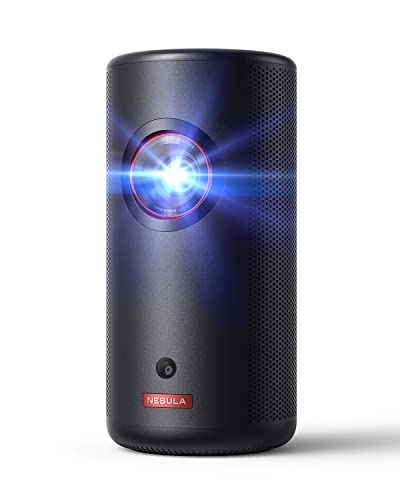 Anker Nebula Capsule 3 Laser value
300 ANSI lumens (honestly disclosed), native 1080p, ~2.5 hr video battery, Google TV with Netflix certified
The smallest "soda-can" laser projector, and one of the few budget units that honestly discloses ANSI
Watch out: 300 ANSI is dim in any ambient light; older units ran Android TV, so make sure the listing says Google TV
Around $600 · ballpark, Oct 2026
Check price on Amazon → -
 Anker Nebula Cosmos 4K SE premium
~1,800 ANSI lumens (independently beats its own claim), native 4K hybrid laser/LED, Google TV w/ licensed Netflix, AC power
Real 4K and genuinely bright, verified ANSI, in a still-carryable chassis
Watch out: No battery - AC power only, so "portable" is really "transportable" (~10 lb)
Around $1,000 · ballpark, Oct 2026
Check price on Amazon → -
 LG CineBeam PU700R premium
1,000 ANSI lumens (honestly rated), native 4K (0.47" DLP), webOS w/ licensed Netflix, RGB LED (~30,000 hr), swivel stand
The highest honestly-rated brightness of any compact lifestyle projector here, plus real 4K
Watch out: Still needs a dim room at 1000 ANSI on larger screens; more lifestyle piece than dedicated theater
Around $700 · ballpark, Oct 2026
Check price on Amazon → - Samsung The Freestyle (2nd Gen) value
Marketed 550 "lumens" but ~230-240 ANSI measured, native 1080p, USB-C power (no battery), Tizen w/ licensed Netflix, 180 rotating base
Unmatched placement flexibility - auto-levels and projects clean images on ceilings and angled surfaces
Watch out: The clearest mainstream fake-lumen example: real ANSI is under half the marketed number, so it is dim even in the dark
Check price on Amazon →
Outdoor & Backyard
Bright, rugged projectors for movie nights under the stars - plan for full darkness and real ANSI brightness.
-
 Anker Nebula Mars 3 value
~1,000 ANSI lumens, native 1080p, ~5 hr battery (ECO), 40W speaker, IPX3 water resistance, Android TV
A purpose-built ruggedized shell (IPX3, drop/dust resistant) - rare among portables
Watch out: Still needs near-dusk or darker for good contrast; heavier than pocket units; battery drains fast at high brightness
Around $850 · ballpark, Oct 2026
Check price on Amazon →
The Truth About Projector Brightness
This is where most projector money is wasted. Brightness is measured in ANSI lumens, a standard that averages light across nine points of the image. But cheap projectors — and even some mainstream ones — advertise plain "lumens," "LED lumens," or "lux" instead, which are unregulated and routinely inflated three to fifteen times over real output. Several brands have faced lawsuits over it. Samsung's own Freestyle markets 550 "lumens" against a measured figure closer to 230 ANSI.
The rule: if the listing does not say "ANSI lumens," treat the brightness number as fiction. As a rough guide, plan for roughly 1,500–2,000 ANSI lumens in a fully dark room, 2,500–3,000+ if the room has some ambient light, and at least 400 for outdoor viewing after dark. No projector at any price is genuinely daylight-viewable the way a TV is.
Full normalized dataset — brightness bands, throw-ratio math, native vs "supported" 4K, and contrast truth — in the Projector Lumens Truth Index. Bright-room specifics: best projectors for bright/daylight rooms.
How Big a Screen: Size It From Your Seat
Pick the screen size from where you sit, not from the biggest number on the box. Two guidelines are worth knowing. THX recommends the screen fill about 40 degrees of your view, which puts you about 1.2 times the diagonal away and feels like a good cinema seat. SMPTE sets 30 degrees as the minimum for immersion, about 1.6 times the diagonal. Most people are happy anywhere between the two.
| 16:9 screen | Image width | THX 40° seat | SMPTE 30° seat | 4K detail visible within |
|---|---|---|---|---|
| 80" | 5.8 ft | 8.0 ft | 10.8 ft | 5.2 ft |
| 100" | 7.3 ft | 10.0 ft | 13.6 ft | 6.5 ft |
| 120" | 8.7 ft | 12.0 ft | 16.3 ft | 7.8 ft |
| 135" | 9.8 ft | 13.5 ft | 18.3 ft | 8.8 ft |
| 150" | 10.9 ft | 15.0 ft | 20.3 ft | 9.8 ft |
The last column is the honest 4K test. With 20/20 vision, the eye resolves about one arcminute, so 4K's extra pixels only show when you sit closer than about 0.78 times the diagonal. From a normal THX seat you are past that line, which is why a good 1080p projector in a dark room can look nearly as sharp as a 4K one. 4K still brings HDR and newer processing, but do not pay for pixels you cannot see. Then confirm the projector can fill the width from its mount: see what throw ratio means.
Screens: The Part Buyers Underestimate
A screen is not optional polish — it is the surface every photon lands on, and the wrong one quietly ruins an expensive projector. The single most important rule: an ultra-short-throw projector needs a CLR (ceiling light rejecting) screen, not a standard ALR screen. They reject light from different angles, and pairing a UST projector with a normal ALR or white screen produces washed-out blacks and hotspots. Worse, the screen is usually sold separately from the projector — a real cost most UST buyers never budget for.
CLR screens for ultra-short-throw projectors
-
 Elite Screens Aeon CLR premium
CLR lenticular material for UST, ~0.4-0.6 gain, fixed edge-free frame, 100-150" - UST only
The most widely benchmarked UST screen, with strong overhead-light rejection
Watch out: Some see faint sparkle on bright whites up close; tensioning needs care for a flat surface
Around $900 · ballpark, Oct 2026
Check price on Amazon → -
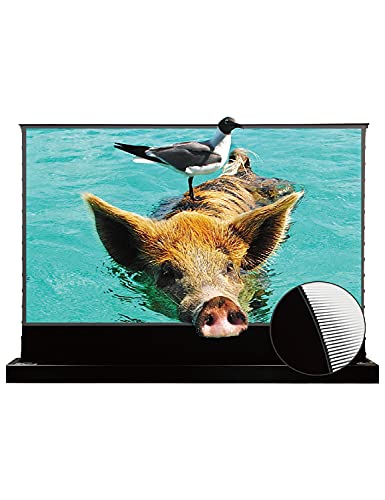 VividStorm S PRO (Motorized Floor-Rising) premium
Motorized floor-rising tab-tensioned CLR/UST lenticular screen, ~100-120", UST only
Rises from a floor cabinet and disappears when off - for rooms that must double as normal rooms
Watch out: Highest complexity; the motor and riser are extra failure points needing a clear rise path
Around $1,650 · ballpark, Oct 2026
Check price on Amazon →
Screens for standard-throw and outdoor setups
- Silver Ticket STR (ALR, Standard Throw) value
Grey ALR vinyl, ~1.0 gain, fixed frame, 100-150" - standard/long throw (NOT for UST)
One of the most popular budget fixed-frame ALR screens for long-throw projectors
Check price on Amazon → -
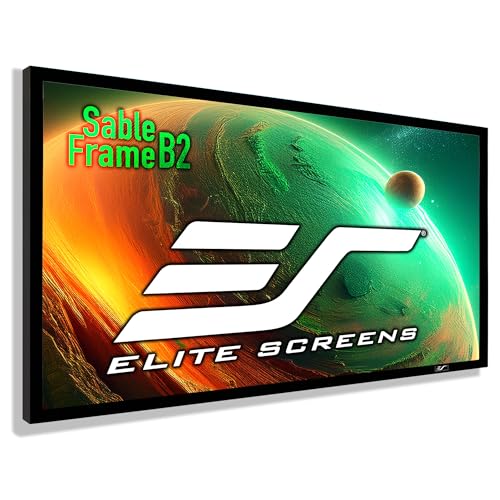 Elite Screens Sable / CineWhite value
Plain white matte (CineWhite), ~1.0 gain, fixed frame, 100-150", standard throw
The default pick for a fully light-controlled dedicated theater where ALR is not needed
Around $280 · ballpark, Oct 2026
Check price on Amazon → -
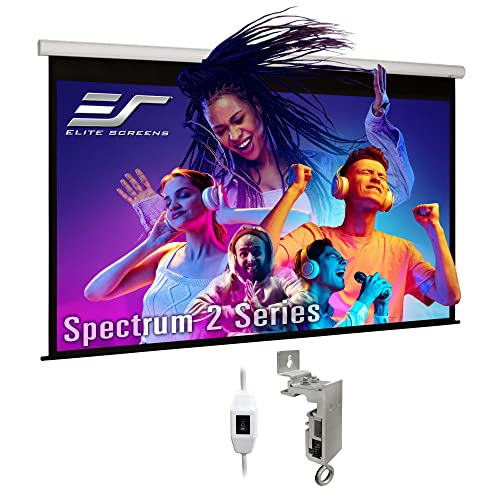 Elite Screens Spectrum (Electric Drop-Down) value
Motorized wall/ceiling drop-down, ~1.1 gain white material, 100-150", standard throw, IR/12V trigger
Retracts fully out of sight - the most-purchased motorized screen category
Around $450 · ballpark, Oct 2026
Check price on Amazon → -
 Elite Screens Yard Master 2 value
Folding aluminum frame, matte material, 100-135", front/rear projection - temporary outdoor use
Sets up in minutes without tools - built for temporary backyard movie nights
Around $280 · ballpark, Oct 2026
Check price on Amazon →
Audio: Soundbar or AV Receiver?
This is the central audio fork. A soundbar is one box that plugs into a TV over HDMI eARC and sets up in minutes, but its Atmos height effects are almost always virtual — bounced off the ceiling rather than played from real overhead speakers. An AV receiver with separate speakers is more wiring and setup, but delivers real discrete channels and the only route to true 7.x or 9.x surround. For a projector room specifically, a receiver usually wins, because there is no TV to route a soundbar's audio through. And whichever path you take, a dedicated subwoofer is the single biggest jump toward a real cinema feel — as long as it is calibrated, or it just makes the room boomy.
AV receivers
-
 Denon AVR-S770H budget
7.2 channel, Dolby Atmos/DTS:X, full HDMI 2.1 (4K/120, 8K) on all inputs, Audyssey MultEQ
The cheapest receiver with full-input HDMI 2.1 and real Atmos decoding
Around $700 · ballpark, Oct 2026
Check price on Amazon → -
 Denon AVR-X3900H premium
9.4 channel, 105W per channel, Dolby Atmos/DTS:X/Auro-3D/IMAX Enhanced, 8K/60 and 4K/120 with VRR, ALLM and FreeSync, Audyssey MultEQ XT32 (optional Dirac Live upgrade), HEOS, AirPlay 2
The current mid-range sweet spot: enough channels for a 7.2.2 or 5.2.4 Atmos room, plus top-tier Audyssey XT32 room correction
Around $1,850 · ballpark, Oct 2026
Check price on Amazon → - Marantz Cinema 50 flagship
9.4-ch, Atmos/DTS:X/Auro-3D, full HDMI 2.1 8K/4K120, Audyssey XT32 (+ optional Dirac), premium chassis
Denon's 9.4-channel platform with Marantz's warmer voicing and nicer build
Check price on Amazon →
Speaker packages and subwoofers
- Polk Audio T-Series 5.1 System budget
Complete 5.1 in one box: two T50 towers, one T30 center, two T15 bookshelf surrounds, PSW10 10-inch powered subwoofer (up to 100W)
The one-purchase 5.1 - towers, center, surrounds and a powered sub - sold by Amazon itself
Check price on Amazon → -
 ELAC Debut 2.0 value
5.1-capable (bookshelf + center + surrounds), 1" soft-dome tweeter, aramid-fiber woofers
Andrew Jones-designed, prized for neutral, accurate tone rather than colored "exciting" sound
Around $300 · ballpark, Oct 2026
Check price on Amazon → - Klipsch Reference Premiere 5.1 premium
5.1 (RP towers + center + bookshelf surrounds), Tractrix horn tweeters, high sensitivity
The signature horn-loaded, high-efficiency "movie theater" sound - plays loud on modest amp power
Check price on Amazon → -
 SVS SB-1000 Pro (Sealed Sub) premium
12" driver, sealed, ~325W RMS Sledge amp, app control with parametric EQ
Best-in-class app control and tight, precise (not boomy) bass for a compact sealed sub
Around $600 · ballpark, Oct 2026
Check price on Amazon → -
 Klipsch R-120SW (Sub) budget
12" spun-copper woofer, front-firing ported, high output for the price
The perennial budget best-seller - big output cheaply, an easy first sub
Around $325 · ballpark, Oct 2026
Check price on Amazon →
Dolby Atmos soundbars (the simpler path)
-
 Samsung HW-Q990D flagship
11.1.4 channels, main bar + wireless sub + REAL rear surround speakers included, Atmos/DTS:X, Q-Symphony
The most complete out-of-box surround package of any soundbar - real physical rears, not virtual
Watch out: Height channels are still up-firing/virtual, not ceiling speakers; Q-Symphony perk is Samsung-TV-only
Around $1,100 · ballpark, Oct 2026
Check price on Amazon → -
 Sonos Arc Ultra flagship
14-driver array, "Sound Motion" woofer for deep bass without a sub, Atmos, eARC, Sonos multi-room
The deepest built-in bass of any single-bar flagship, with class-leading app polish
Watch out: Height effects are virtual; true surround needs a separate Sub + rears, pushing cost up
Around $1,100 · ballpark, Oct 2026
Check price on Amazon → -
 Sony BRAVIA Theater Quad flagship
4.0.4 via four discrete wireless speakers (no center bar), wireless sub, Atmos/DTS:X, 360 Spatial Sound Mapping
Four independent speakers around the room give genuinely more discrete imaging than a single bar
Watch out: Needs four speaker placements and four outlets - it gives up the "one box" simplicity
Around $2,700 · ballpark, Oct 2026
Check price on Amazon →
The Gear That Finishes the Room
A projector and a screen are the start. Three cheap, unglamorous things do more for the experience than most buyers expect: an external streaming device (built-in projector apps are often under-licensed and slow — an Apple TV 4K or Nvidia Shield is the single best "brain" upgrade), a certified HDMI cable of the right type (fiber, not copper, for any ceiling run over ~15 feet, or you get flicker and dropouts), and light control — blackout curtains are the cheapest picture upgrade there is. Then mounts, bias lighting, acoustic panels, seating, and a universal remote to tie it together.
Make the Room Feel Like a Theater
The picture and sound are only half of it - the room itself is what makes movie night feel like an event. Two things do the most work: comfortable seating you sink into for two hours, and light control so the image actually pops. Blackout is worth repeating because it is the cheapest upgrade in this entire guide: a mid projector in a properly darkened room beats a pricier one fighting daylight.
Seating - couches, sectionals & recliners
-
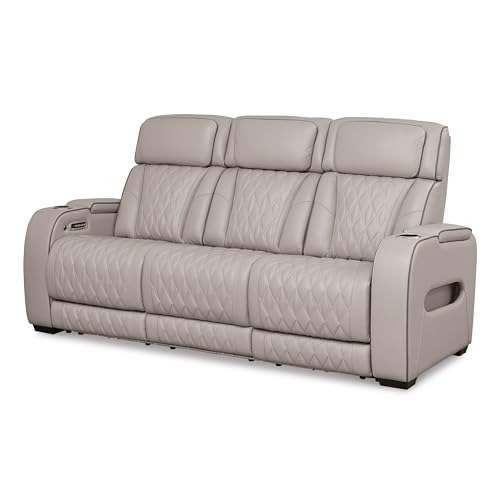 Ashley Power Reclining Sofa value
3-seat power recline with adjustable headrest, cup holders, USB, hidden armrest storage, ~82" wide
A mainstream furniture-brand movie couch with genuine Amazon distribution and wide style choice
Watch out: Faux-leather trims crack and peel in a few years - choose the fabric option, and measure your doorways
Around $2,250 · ballpark, Oct 2026
Check price on Amazon → - Valencia Powered Theater Seating (Row) premium
Row of 2-4 powered recliners, motorized headrests, tray tables, USB, top-grain leather options
A true cinema-authentic theater row with real Amazon reviews - the motorized headrests are its signature
Watch out: Top-trim configurations get expensive fast; confirm the specific row size fits the room first
Check price on Amazon → -
 Weilianda Home Theater Seating value
Row of 2-4, power recline + power headrest, zero-gravity mode, top-grain leather, LED lighting, tray, USB-C
A lower-cost theater row in top-grain (not bonded) leather, so it sidesteps the peeling problem
Watch out: Newer brand, so long-term durability data is thinner; large rows carry a shipping-damage risk
Around $1,350 · ballpark, Oct 2026
Check price on Amazon → -
 Big Joe Fuf Foam Bean Bag budget
Shredded-foam fill, removable washable cover, sizes from Large up to an 8-foot giant
The established bean-bag brand sold at scale - the casual, cozy, kid-friendly movie seat
Watch out: Strong chemical smell on arrival that airs out; heavy to move; foam needs periodic re-fluffing
Around $220 · ballpark, Oct 2026
Check price on Amazon → - Countertop Popcorn Machine budget
Kettle popper, ~4-8 oz home capacity, warming light on cart-style units
The nostalgia factor that completes the movie-theater experience
Watch out: Small home kettles need batching for a crowd; cleanup is part of the ritual
Check price on Amazon →
Light control - curtains & blackout shades
One honest thing almost no product page tells you: "blackout" curtains and shades are not actually 100% dark on their own. They leak light at the edges — along the sides where fabric meets wall, above the rod, and in the gap between a shade and the window frame. That is a mounting problem, not a fabric-percentage problem. The fixes, in order: oversize the panels and use a wrap-around rod so fabric overlaps the wall; mount outside the window frame rather than inside it; and for a genuinely reference-dark room, add side-channel tracks that seal a shade's edges — the only true ~100% blackout solution, and it retrofits a shade you already own.
-
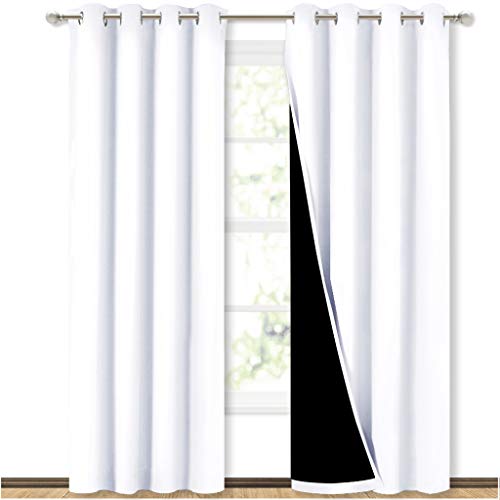 NICETOWN 100% Blackout Grommet Curtains budget
Triple-weave heavy fabric, near-99% block in dark colors, grommet top, thermal/noise damping
The most widely stocked budget blackout curtain - cheap enough to outfit a whole theater wall
Watch out: Leaks at the top and sides without a wrap-around rod; pale colors block far less than dark ones
Around $20 · ballpark, Oct 2026
Check price on Amazon → -
 NICETOWN Patio-Door / Wide Blackout Panel value
Extra-wide single panel (~100" wide) for sliding doors and big windows, insulated
Wide enough to kill the center-gap leak on a patio door or picture window in one panel
Watch out: Still needs wall-overlap mounting for the side edges; the heavy panel wants a sturdy rod
Around $30 · ballpark, Oct 2026
Check price on Amazon → -
 NICETOWN Blackout Curtain Liner budget
Detachable liner that hooks behind existing grommet curtains, triple-weave, stacks with your drapes
Turns decorative curtains you already own into blackout-capable without replacing them
Watch out: The liner alone is not full blackout (~85%); it adds weight that can strain a light rod
Around $25 · ballpark, Oct 2026
Check price on Amazon → -
 Yoolax Motorized Blackout Roller Shade premium
99% blackout fabric, quiet sub-48dB motor, battery/solar/hardwired, Alexa/Google/HomeKit
A quiet motor matters in a theater - it drops on a "movie mode" scene without a whir mid-scene
Watch out: Like all shades it still leaks at the frame edges unless outside-mounted or paired with side channels
Around $150 · ballpark, Oct 2026
Check price on Amazon → - Side-Channel Light Blockers (U-Channel Track) value
U-shaped PVC or aluminum side tracks that seal a roller/cellular shade edge, custom lengths
The actual fix for edge light leak - the only genuinely ~100% blackout solution, and it retrofits an existing shade
Watch out: Requires precise measuring and a compatible shade; the look is utilitarian, not decorative
Check price on Amazon →
More Build-Out Gear (Mounts, Streamers, Cables & Control)
VIVO VIVO Universal Ceiling Projector Mount
A near-universal 4-arm bracket that fits almost any projector, at a low price
Shop on Amazon →Apple Apple TV 4K
The cleanest, most legible interface on a projected image, with the tightest app licensing
Shop on Amazon →Zeskit Zeskit Certified HDMI 2.1 48Gbps
Genuinely certified (not just spec-claimed) 48Gbps at a low price - a forum favorite
Shop on Amazon →Govee Govee TV Backlight
Mirrors on-screen color for an ambient glow at a low price
Shop on Amazon →Auralex Auralex Studiofoam + LENRD Bass Traps
The recognizable acoustic-foam standard, cheap and adhesive-mounted
Shop on Amazon →NICETOWN NICETOWN 100% Blackout Grommet Curtains
The most widely stocked budget blackout curtain - cheap enough to outfit a whole theater wall
Shop on Amazon →Signature Design by Ashley Ashley Power Reclining Sofa
A mainstream furniture-brand movie couch with genuine Amazon distribution and wide style choice
Shop on Amazon →SofaBaton SofaBaton X1S Universal Remote
The consensus Logitech Harmony replacement - one-touch "Watch a Movie" macros Harmony abandoned in 2021
Shop on Amazon →Frequently Asked Questions
It depends on the room and the use. A TV wins decisively for daytime and mixed-use rooms — LED and OLED panels stay bright and watchable in daylight, hit deeper blacks, and need no setup. A projector wins for sheer size and the movie-night experience: going from 65 inches to 100-plus inches is a trivial step for a projector but scales cost steeply for a TV. Projectors need a dark or light-controlled room and a screen or suitable wall. For a dedicated theater room, a projector; for a living room used all day, a TV.
ANSI lumens is a standardized brightness measurement averaged across nine points of the image. Plain 'lumens,' 'LED lumens,' or 'lux' figures used by many cheap projectors are unregulated marketing numbers, often inflated three to fifteen times over real ANSI output — several brands have faced lawsuits over it. If a listing does not say 'ANSI lumens,' treat the brightness claim as fiction. As a rough guide: roughly 1,500 to 2,000 ANSI lumens for a fully dark room, 2,500 to 3,000-plus for a room with some ambient light, and at least 400 for outdoor viewing after full dark.
Native 4K means the imaging chip physically has all 8.3 million pixels — only JVC's D-ILA and Sony's SXRD projectors do this. Most '4K' projectors (Epson, BenQ, and nearly all ultra-short-throw models) use a 1080p-class chip with pixel-shifting, which flashes each pixel across two to four positions per frame so the eye perceives 4K. The industry certifies this as legitimate 4K UHD, and at normal seating distance the difference is subtle, but native 4K holds an edge in fine text and film grain — and costs considerably more.
Yes, and it is the most common and most expensive mistake buyers make. A UST projector sits inches from the wall and throws light up at a steep angle, so it needs a CLR (ceiling light rejecting) screen with a lenticular structure built for that angle — not a standard ALR screen made for long-throw projectors at the back of the room. Pairing a UST projector with a normal ALR or white screen gives washed-out blacks and hotspotting. And the screen is usually sold separately, adding real cost most buyers do not budget for.
This is the central home-theater audio decision. A soundbar is one box, plugs into the TV over HDMI eARC, and sets up in minutes — but its Dolby Atmos height effects are almost always virtual, bounced off the ceiling rather than from real overhead speakers. An AV receiver with separate speakers means more wiring and setup, but real discrete channels and the only path to true 7.x or 9.x surround. For a projector setup specifically, a receiver usually makes more sense, since there is no TV to route a soundbar's audio through.
Yes — it is a top cause of the flickering and 'no signal' complaints projector owners report. A standard copper HDMI 2.1 cable can only sustain full 48Gbps bandwidth to about 10 to 15 feet; past that it drops the handshake and forces a lower resolution or refresh rate, or cuts out entirely. For a ceiling projector run longer than about 15 feet, use a certified fiber-optic HDMI cable, which holds full bandwidth well beyond copper's limit. For short runs, a certified (not merely advertised) 48Gbps copper cable is fine.
Blackout light control. A mid-range projector in a properly darkened room will out-perform a far more expensive one fighting daylight or hallway spill. Blackout curtains or a cassette roller shade cost little and improve perceived contrast and black level more than any spec-sheet number. It is the single highest return-per-dollar improvement you can make, and it should come before spending more on the projector itself.
The three numbers describe the speaker layout. The first is the count of full-range speakers around you — front left and right, center, and surrounds. The second, always a '.1,' is the subwoofer. The third is the number of height or Atmos channels that place sound above you, like rain or a passing aircraft. So 5.1.2 is five main speakers, one subwoofer, and two height channels. More height channels — and real overhead ones rather than up-firing virtual ones — make the Atmos effect more convincing.
Work back from where you sit. The THX guideline (a 40-degree viewing angle) puts you about 1.2 times the screen diagonal away, and the SMPTE minimum (30 degrees) about 1.6 times. So from 10 feet, a 100-inch screen feels cinema-like; from 13 to 14 feet, 100 inches is the minimum for immersion and 120 inches is the THX fit. Then check the projector can actually fill that width from where it will be mounted, using its throw ratio.
On a big screen, often yes, but it depends on how close you sit. With 20/20 vision you can only see 4K's extra detail over 1080p when you sit closer than about 0.78 times the screen diagonal: about 6.5 feet from a 100-inch screen, or 7.8 feet from 120 inches. Farther back, 4K's bigger advantages are HDR and the better processing that comes with newer models, not the extra pixels.
For a dark or dim room, the Epson Home Cinema 1100: a bright 3-chip 3LCD 1080p projector, so there is no DLP rainbow effect, with AirPlay and a powered USB port for a streaming stick. If you mainly game, the Optoma HD146X or the 4K Optoma UHD38x have faster game modes. Whichever you pick, budget for blackout curtains before a pricier projector.
You can, and a smooth, flat, matte white or light-grey wall gives a watchable picture with a standard-throw projector. A real screen still looks better: it is flatter, has even gain and a black border that makes the image look sharper. The one setup where a wall does not work is an ultra-short-throw projector, which needs a CLR screen to reject ceiling light and avoid washed-out blacks.
Following Dolby's placement guidance, measured from the main seat: the center speaker at the screen, front left and right 22 to 30 degrees either side, the two surrounds 110 to 120 degrees either side (just behind you), and the two height speakers in the ceiling slightly in front of the seat. The subwoofer can go wherever it sounds best, often along the front wall.
Only for real overhead speakers. A receiver like the Denon AVR-S770H decodes Atmos and powers ceiling or up-firing speakers, and it is the only route past 5.1.4. A soundbar system like the Sonos Arc Ultra or Samsung HW-Q990D also plays Atmos, using up-firing drivers that bounce sound off the ceiling, which is simpler but less precise than speakers in the ceiling.
Last reviewed: October 24, 2026. Every pick was re-checked against its live Amazon listing that day; discontinued or out-of-stock models were replaced with the current model. Specs come from those listings and reviewer consensus; we do not test projectors ourselves. Check the listing for the exact unit and seller before you buy.